Temp Music: What It Is and How Editors Use It Without Getting Trapped
Temp Music: What It Is and How Editors Use It Without Getting Trapped
Temp music — also called a temp track, temp score or scratch music — is placeholder music an editor lays under a cut to set its pace and mood before the final music is composed, licensed or chosen. It is usually unlicensed and meant to be replaced before release. Almost every edit passes through one.
If a director or producer has asked you for a “temp track,” or you have cut a whole sequence to a song you know you can never keep, this is the page for you. Below is the working editor’s version: what temp music actually does, how to choose it so it doesn’t trap you, and how to get it out of the timeline cleanly when the final music arrives.
What Temp Music Does in the Cut
Temp music does four jobs at once. It gives you a rhythm to cut against, so your edit points land on a pulse instead of floating. It tells the director and the client what the scene is supposed to feel like, long before a composer is attached. It hands that same composer or music supervisor a reference for tempo, energy and emotional shape. And when a cut goes in front of a test audience, temp music lets people react to something close to the finished experience rather than a silent assembly.
In short, temp music is a communication tool. It carries intent through every review until the real music can carry it instead. The trouble starts when everyone forgets the temp was only ever meant to be temporary.
Temp Music vs Final Score vs Licensed Track vs Source Music
Four kinds of music can sit in a timeline, and only one of them is meant to be thrown away. Knowing which is which keeps you out of trouble at delivery. A temp track is chosen by the editor or director and almost never cleared for release. A commissioned score, a licensed library or needle-drop track, and the source music playing inside the scene are all meant to survive to the final export — and all of them have to be licensed.
| Type | Who picks it | Licensed? | In the release? |
|---|---|---|---|
| Temp / scratch track | Editor or director | Usually not | No |
| Commissioned score | Composer | Yes, by contract | Yes |
| Licensed library or needle-drop track | Editor or music supervisor | Yes | Yes |
| Source / diegetic music | Written into the scene | Must be licensed | Yes |
A commissioned score usually works as underscore that sits beneath the dialogue, while a track an audience is meant to notice is often a needle-drop placed for a specific moment. Temp music borrows the feeling of either — without the clearance that makes them safe to ship.
“Temp Love” — and How to Prevent It
Temp love is what happens when a director or client becomes attached to the placeholder music, and every replacement suddenly sounds wrong. It is not a character flaw. After dozens of playbacks, the temp stops being a stand-in and starts being the scene in everyone’s memory. The real music then has to beat a track that has had weeks of unfair rehearsal.
You prevent temp love by never temping with something you cannot keep. A few habits help:
- Temp with music you could actually afford to license and leave in.
- Rotate two or three options per scene so no single track becomes “the” track.
- Temp the emotion, not an exact famous recording everyone already knows.
- Keep the temp quieter than feels right — it should support the cut, not headline it.
How to Choose Good Temp Music
Good temp music makes the edit easier now and the handover easier later. Bad temp music flatters the cut, then sabotages everything that follows it. Use a short checklist every time you drop a cue in.
- Match the tempo to your edit points, so your cuts fall on a beat or phrase.
- Prefer instrumental — lyrics fight dialogue and lock you to one arrangement.
- Avoid famous songs and famous film scores. You will never clear them, and the comparison will haunt whatever you put in next.
- Pick a key and register that leaves room for voices, so dialogue sits on top instead of wrestling the music.
- Keep a note on why each cue was chosen — the feeling, the tempo, the moment it hits.
That last habit pays off twice: it speeds up the conversation with whoever writes or supplies the final music, and it reminds you later exactly what each placeholder was doing. If you want a deeper method for picking cues, start with choosing music that fits your edit.
Handing Temp Music to a Composer or Music Supervisor
When you pass temp music to a composer or music supervisor, send three things: a cue list with timecodes, a line on what each temp is doing emotionally, and a note on what not to copy. The temp is a reference for energy, tempo and shape — not a blueprint to be reproduced bar for bar.
Be explicit about this, because too close an imitation can raise copyright questions. Ask for originality in the spirit of the temp, not a soundalike of a specific recording. Frame your notes around the result you want — “rising tension that peaks on the door slam at 02:14” — rather than “make it sound like this.” You get better, safer music, and you keep the handover a creative brief instead of a tracing exercise.
Replacing Temp Music Without Recutting
Swapping temp for final does not have to mean rebuilding the sequence. The trick is to protect your edit points. Lock the picture cuts to the beats and phrases they already land on, then replace the music one cue at a time rather than dragging a single new track across the whole timeline.
Stems make this far easier. Because the replacement arrives as separate layers, you can extend or shorten it to hit the exact same edit points, crossfade on the cuts so transitions disappear, and pull the low or mid layers down a touch so dialogue stays clear. Replace, check levels under the voice, move to the next cue. Done cue by cue, a full music pass can go in without touching a single picture edit. The guide to music stems and layering covers the technique in detail.
The Licensing Trap
Temp music is fine inside the edit suite and dangerous the moment it leaves. It is unlicensed, so it must never reach anything outside the room. The usual leaks are easy to miss: a review link that gets forwarded or embedded somewhere public, a festival screener, a social teaser cut from the work-in-progress, or an “unlisted” upload that still collects an automated content claim.
Treat every external touchpoint as a release. If a cut is going anywhere a stranger might see or share it, the temp either comes out or gets cleared first. A real licence spells out exactly where and how you can use a track — read what it covers before you rely on it, starting with what a sync licence actually grants. This is a workflow habit, not legal advice; when in doubt, check your licence wording.
When the Temp Can Simply Become the Final
Here is the move that skips the whole replacement problem: temp with music you already own the rights to, and the temp can stay. No recut, no temp love, no scramble before delivery. If the director falls in love with the placeholder, you smile, because it is already cleared.
Duende Sounds kits are built for exactly this. They are a one-time purchase with a commercial licence for unlimited projects, royalty-free, with no subscription. And they arrive as modular, key-matched stems — a low foundation, a mid layer and a top layer that largely share one key, plus tonal design elements tuned to the same key. So you can temp with them while you cut, and if that temp sticks, you rebuild it to the final length straight from the layers. The placeholder and the final are the same music; you are just reshaping it to fit. Audition the layers first in the free web mixer below.
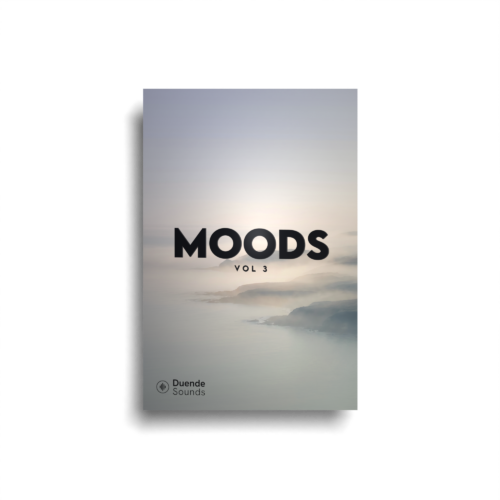
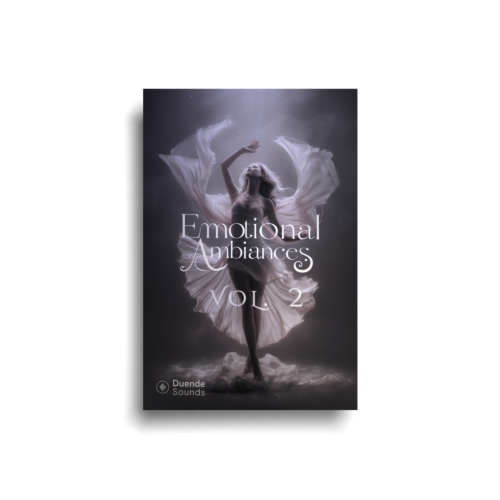
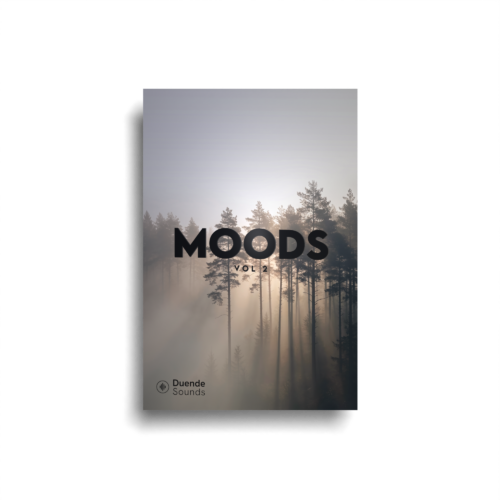
Every layer you’re mixing here is pulled straight from our Moods and Emotional Ambiances series — finished cues you can also break down into stems. Press play, then hit New mix to reshuffle; it all stays in one key, so the layers never clash.
Grab the packs the mixer is pulling from:
Reach for these kits to build it:
Quick Checklist Before You Lock Picture
Before picture lock, run through the music the same way you run through your edit. Five minutes here saves a delivery-day panic.
- List every temp cue in the timeline with its timecode.
- Mark which cues are licensed and which must come out before release.
- Replace or clear every unlicensed cue before any external review or screener.
- Keep the cue list so the final music hits the same edit points.
- Check levels under dialogue after each replacement.
- Keep your licence proofs stored with the project files.
For the terms behind all of this — scratch track, needle-drop, underscore, stems — keep the sound glossary within reach.
Frequently asked questions
What is temp music in film?
What is a temp track?
What is temp love?
Can I use temp music in my final video?
Where do editors get temp music?
How do I replace temp music without recutting?
Temp music is only a problem when the placeholder and the final are two different tracks. Cut to music you already own, and the temp stops being temporary — it just becomes the score. Try the layers, keep the ones that fit, and deliver without ever swapping a cue.